Appearance
IntelliTrack Q1 2024 Release Notes
Released: March 26, 2024
Quarterly release covering license management, faster page loads, in-platform messages, app credentials, and widget updates on the general platform; an improved user experience on the mobile app; and enhancements to the IT Assets, Fixed Assets, Rotational Assets, Consumable Inventory, and Mailroom bundles.
General Platform
License Management
New Users Licenses Page
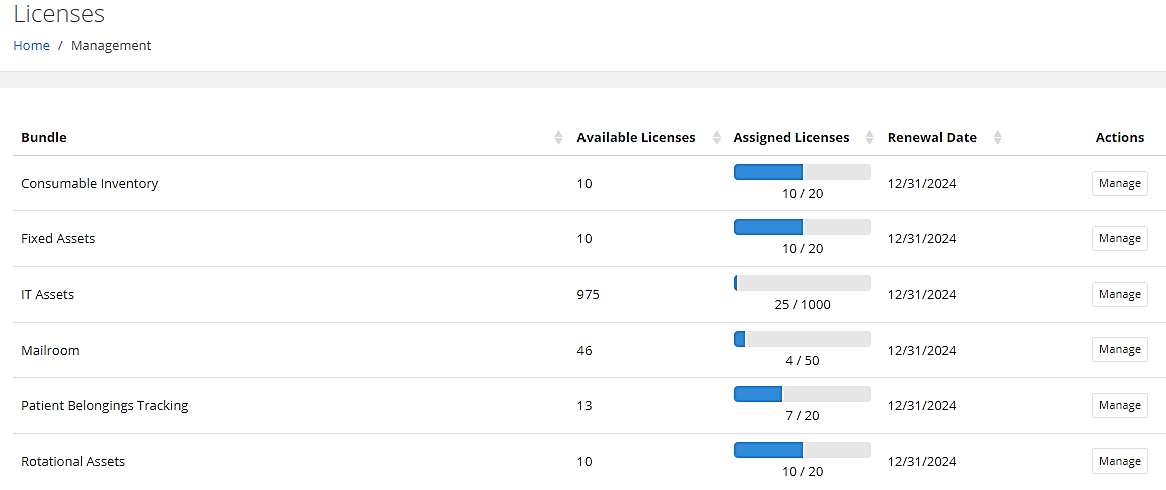
Administrators can now manage their Bundled Licenses from the Management > Users > Licenses page, which contains the following details:
- Bundle
- Available Licenses
- Assigned Licenses
- Renewal Date
It also contains a "Manage" Actions option that allows them to Assign or Unassign User Licenses.
Note: Users that have been Disabled are not visible.
"License Count Changed" Email Notifications
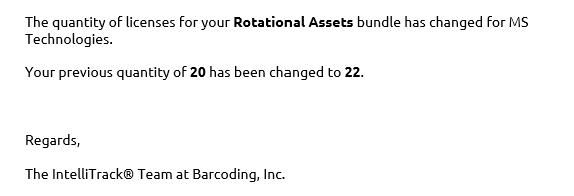
Each time a Bundle's License Count is changed, an Email Notification will be generated to all Administrators of the Tenant, as seen in the example below.
Disable Inactive Users
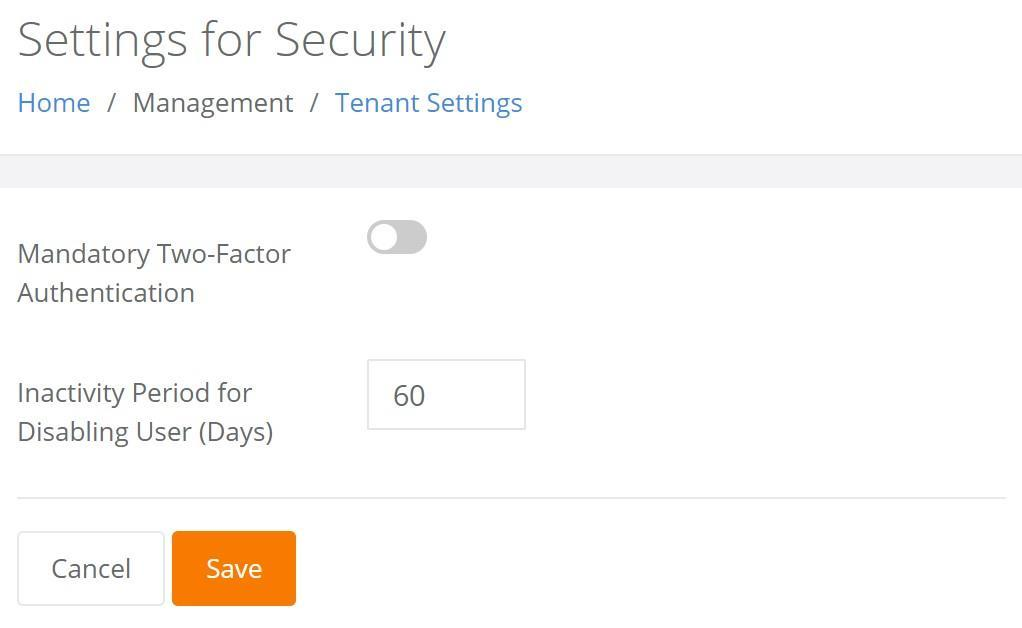
Administrators can now implement a Tenant Level Setting that will Disable Inactive Users after a designated number of days. The "default" is 60 days; however, it can be adjusted to no less than 7 days and no more than 90 days.
Pages Load Faster
Vast improvements have been made to the Assets page to ensure that a large volume of assets loads efficiently.
In-Platform Messages
Messages will now be displayed on the Home page to keep IntelliTrack Users informed of important events and updates.
Honeywell Operational Intelligence Enhancement
IntelliTrack's integration with Honeywell's Operational Intelligence has been enhanced to allow for Real-Time Updates when Assets are moved from one location to another.
App Credentials
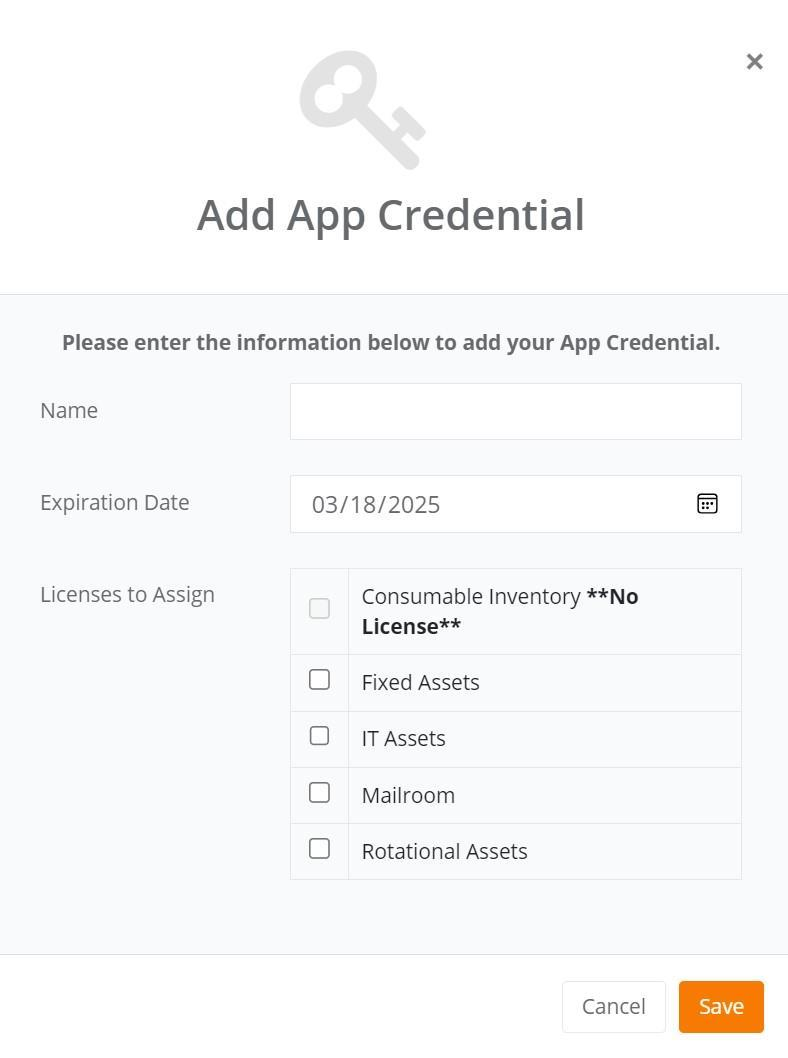
Administrators can now assign an IntelliTrack App Credentials Token in lieu of using their email address for API Integration.
When an App Credential is added, an Expiration Date of between 30 and 365 days is applied. Licenses are then assigned based on the Licensed Bundles that are available to the Tenant. Once assigned, a License will be consumed, resulting in a decrease in the License count. Permissions can also be assigned and adjusted, as needed.
Widget Updates
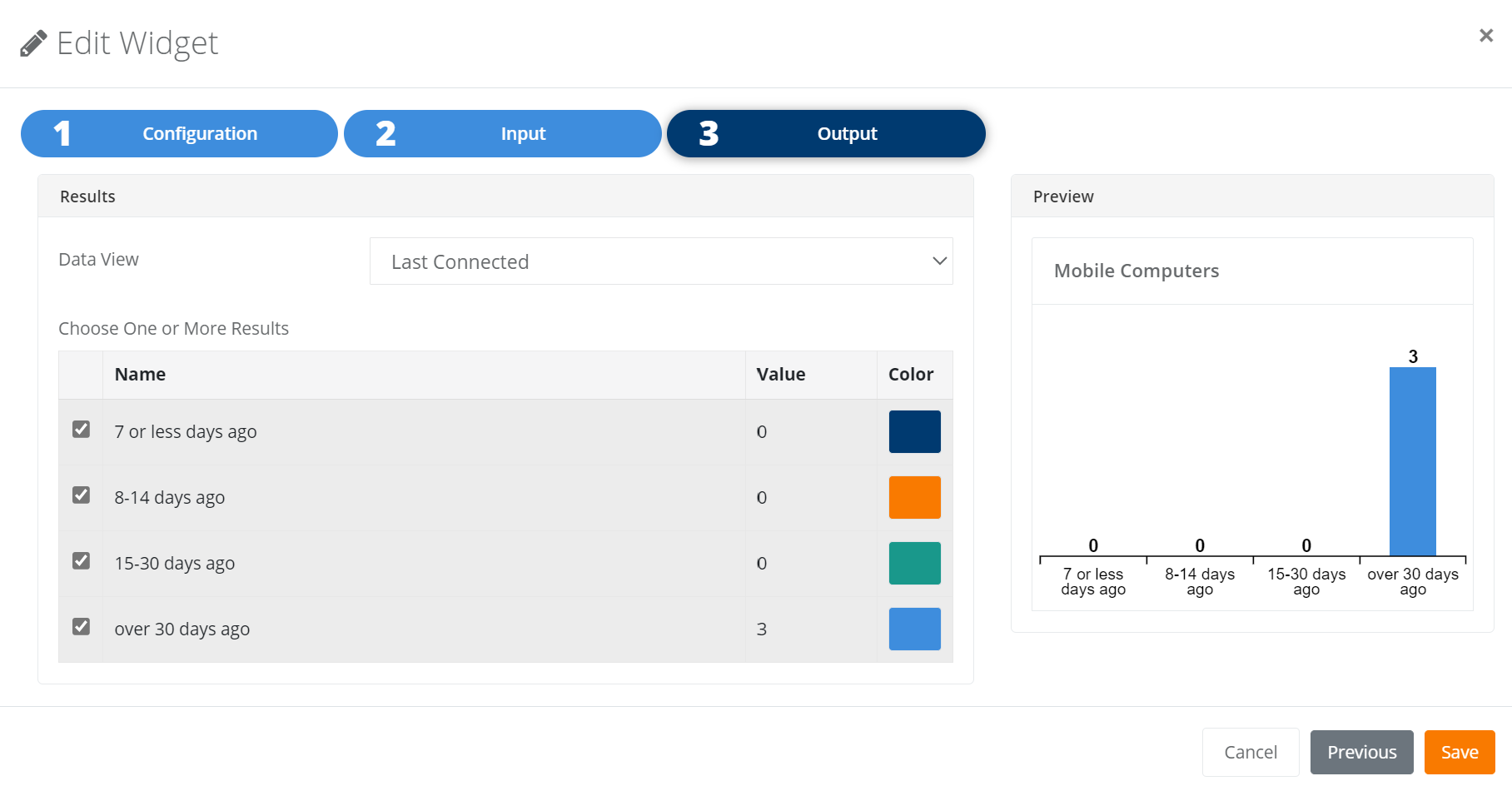
Last Connected Date KPI
A new Data Source has been implemented that allows for the creation of a "Last Connected" Widget. Multiple connection options can be chosen from the available list, to include:
- 7 or less days ago
- 8-14 days ago
- 15-30 days ago
- Over 30 days ago
New Features
- Name and View columns have been added to the Subscriptions Management page.
- Users can now subscribe to reports by Day and Hour. This applies to both Day of the Week as well as Monthly subscriptions.
- If a Site has only one Location, it will be automatically populated. This can be found on multiple pages throughout the platform.
- Users with a status of Inactive are now presented with the option to receive a Reactivation Email.
Fixed
- Only one Date Range filter is allowed when incorporating a Gauge Widget into a Dashboard.
- Widgets that do not have permission to run are now hidden from the User's view.
- The Assets page now displays the correct count after clicking on the Total Mobile Computers Widget from the Barcoding Account Overview Dashboard.
- Date Filtering and Date Sortation now work as expected.
Improved User Experience on Mobile App
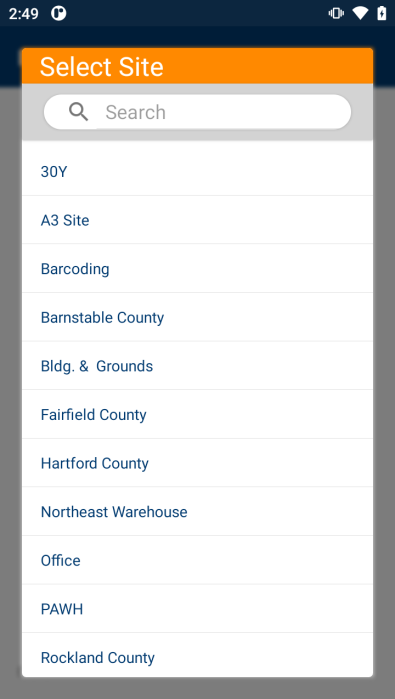
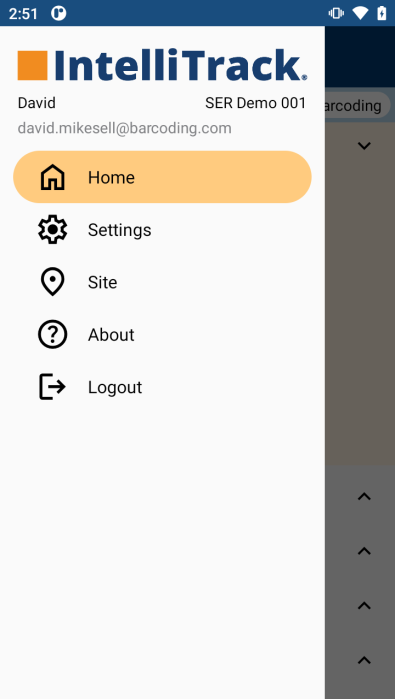
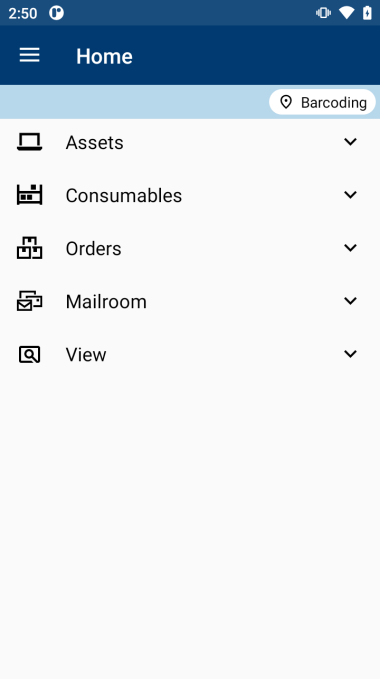
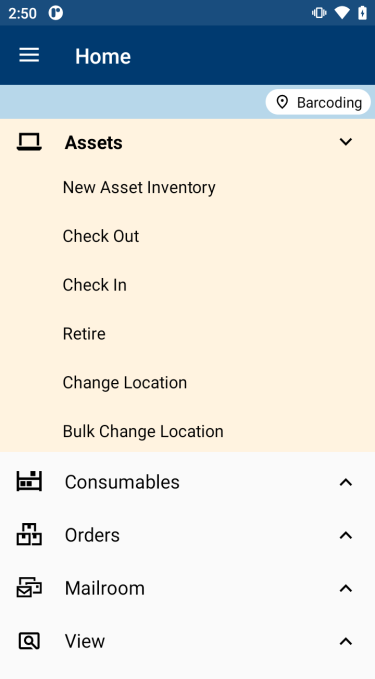
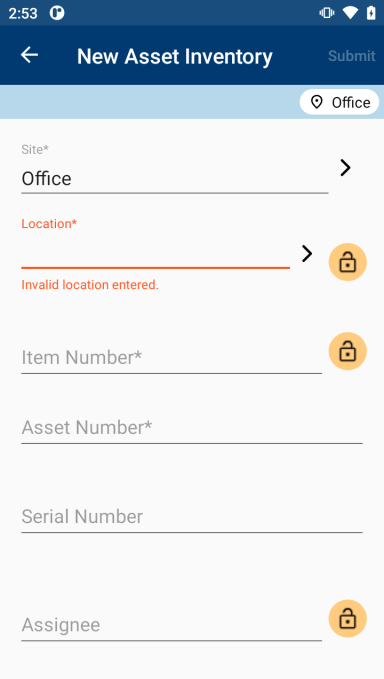
The IntelliTrack Mobile App has been enhanced with a new User Interface (UI) and improved performance and stability, as detailed below:
- The UI follows new Material Design guidelines, with updated menus, buttons, and entry fields.
- A Default Site is specified at login if there is more than one possibility, and Site selectors are then preset to the Default Site.
- Inventory forms are now named according to their usage.
- Improved error messaging, field prompts, and field navigation have been implemented.
- Device orientation settings are respected. Portrait, landscape, and autorotate are now supported.
Fixed
- Issues with scanning large selector lists have been resolved.
- The inability to scan longer barcodes has also been resolved. As a result, the scanned value is now in focus in subsequent scans. This affected barcodes that were generated for Assets, Assignees, Items, and Locations.
- The scanning libraries for Honeywell have been updated.
IT Assets Bundle
New Features
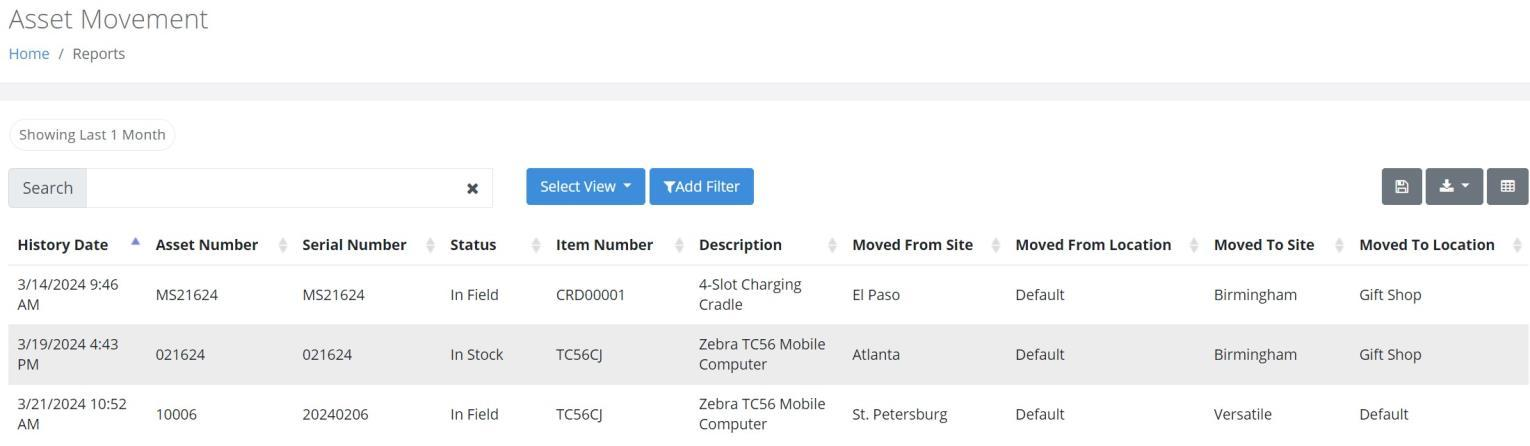
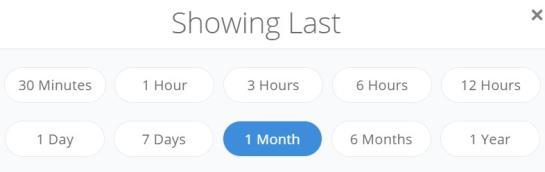
A new Asset Movement Report is available that details Asset and Asset History transactions. A variety of time options for capturing the movements can be used to filter the following data, as shown in the screenshot below:
- Site - From and To
- Item Number
- Item Groups
- Asset Status
- User Email
The Comments field has been modified throughout the platform to allow for an increased amount of text.
The Comments field can now be captured when performing a Bulk Retirement of Assets.
Barcodes for the RMA and Serial # values have been incorporated into the RMA Packing Slip.
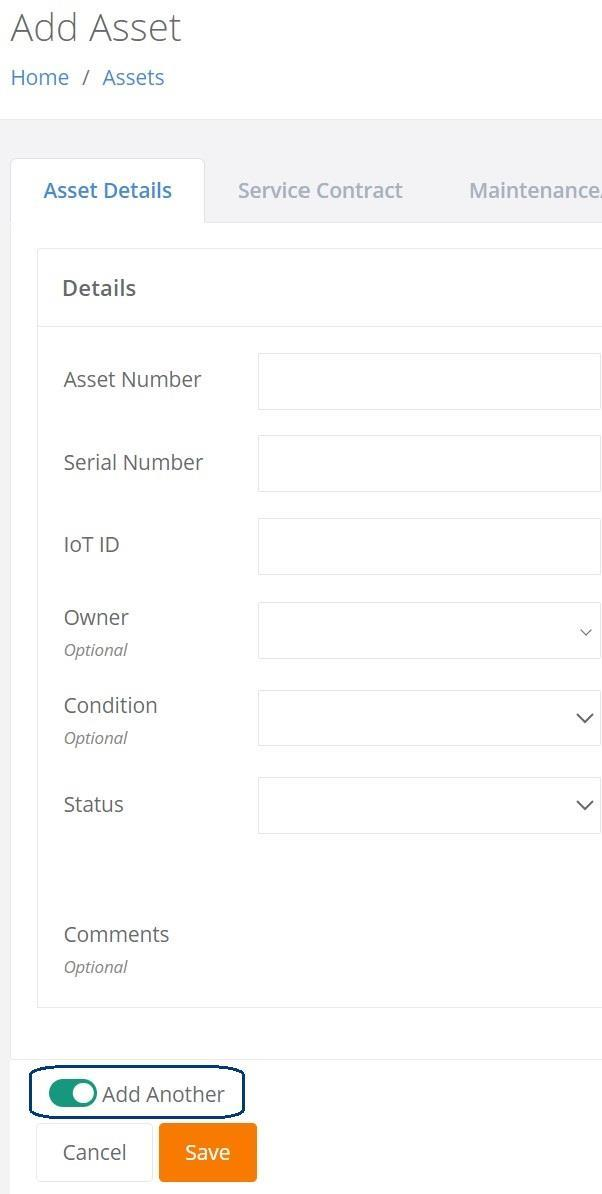
Multiple Assets can be added at the Add Asset page without being directed back to the Assets page. This "Add Another" option can also be found on the following pages:
- Add Issue
- Add Receipt
- Return Orders
Fixed
- An Asset Import now checks the Asset - Item Number for the User Defined Field association.
- An Asset Import is now prevented if the file contains an Item that does not support Asset UDFs.
- An Item Import that contains an Asset UDF Group value no longer fails.
- The RMA Summary Report is now properly filtering the newly added columns, "Days In Transit" and "Days In Repair".
Fixed Asset Bundle
New Features
- The Asset UDF Group cannot be deleted if the Item is associated with any Asset. This is true for Active as well as Retired Assets.
Fixed
- An Assignee with the Owner Setting of Disabled can now be Re-Enabled.
- On the Items page, a Boolean Type Filter (True or False) is now properly applied to a UDF field.
Mobile Application
- Inventory and Asset Moves can now be performed when a User has restricted Site access.
Rotational Assets Bundle
New Features
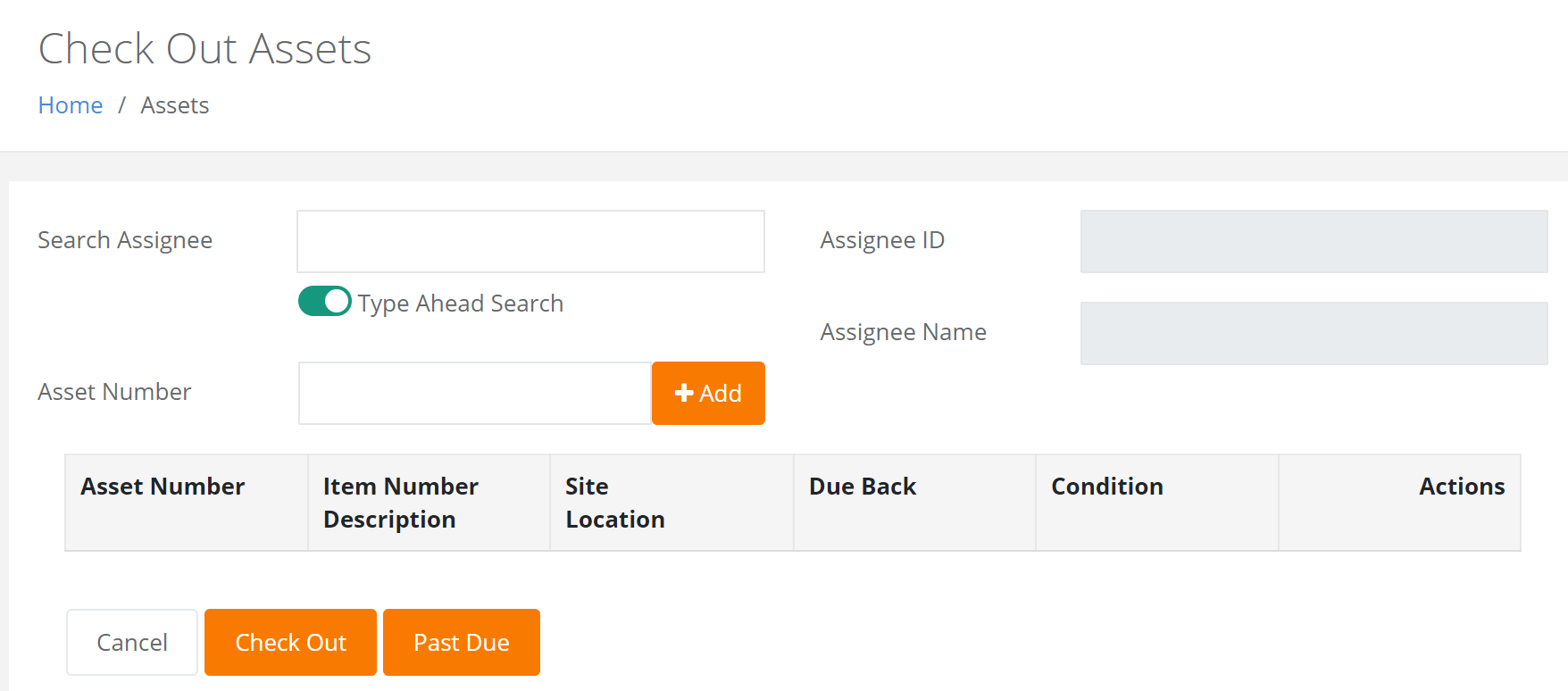
An Assignee can now be entered at the Check Out Assets page using the Type Ahead Search feature, as shown below. The Assignee ID can also be scanned.
Asset Descriptions can now be added to the printed label.
The Checked Out Assets Report can now be printed with Barcodes.
Fixed
- The Checked Out Assets Report no longer displays the time in UTC.
- When searching for an Assignee on the Check Out Assets page, a validation message is now displayed when valid criteria is not found.
- The Site value is now properly displayed on the Assignee page, even if the Assignee is not associated with a Location.
Consumable Inventory Bundle
New Features
The Street 2 field is now included in the Ship To Address on the Add and Edit Issue pages as well as the Add and Edit Picking pages.
Manufacturer and Item Groups have been added to the Manage Columns selection options for the Consumable Reorder Report.
The Log Balance Tenant Setting can now be Turned On/Off for Inventory Transactions.
A new Assets by Site/Location Report is now available. This report provides Asset Cost and Cost Totals and then groups the data by Site and by Division.
A User can now print a Consumable Orders Report with barcodes, allowing them to validate items as they are scanned.
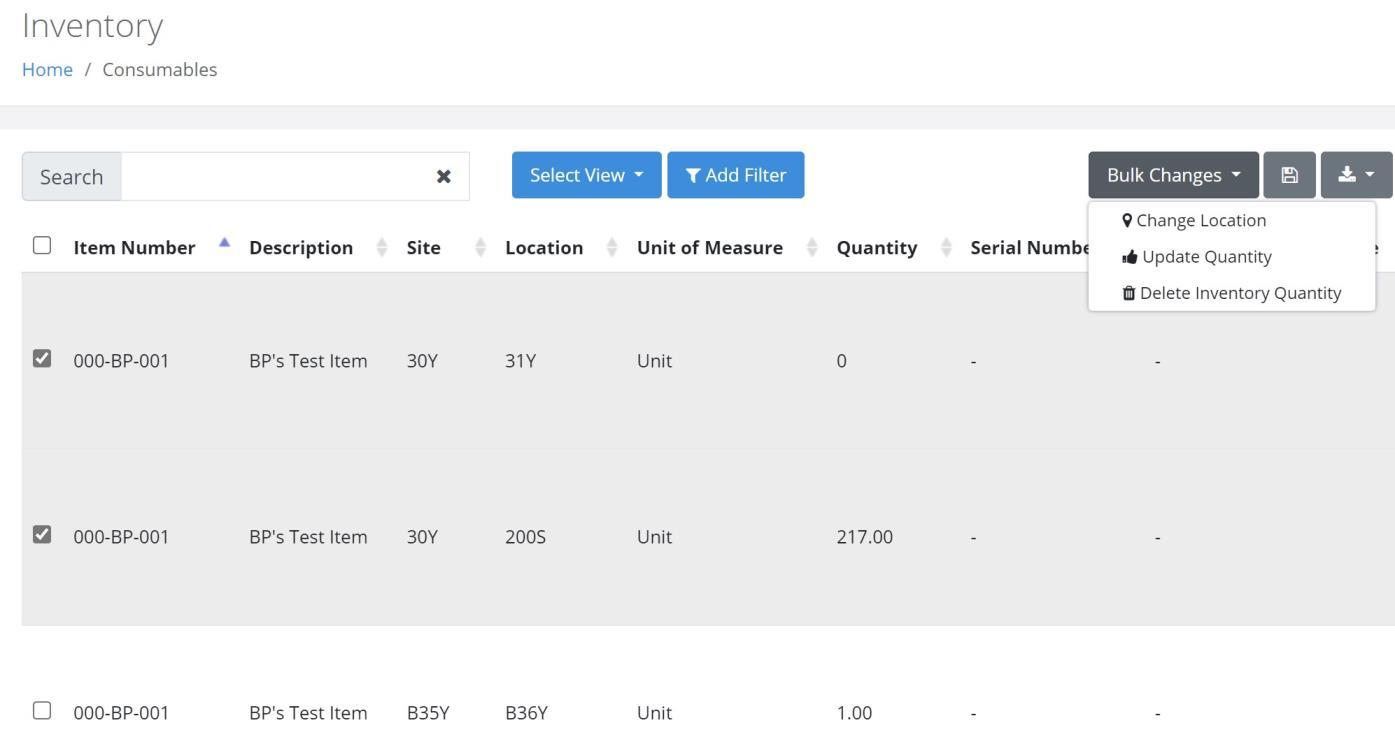
Inventory quantities can now be deleted through a Bulk Change operation on the Inventory page.
If a Consumable Item has only one Unit of Measure, it will be automatically populated at the following pages:
- Add Item to Inventory
- Add Receipt
- Add Return
- Receive
The Inventory Count for an Item is now calculated and logged in History after every Item transaction.
The Comments field has been incorporated into the Item and Inventory pages.
Fixed
- The Issues with Returns Report now generates an accurate return net quantity when:
- The referenced Issue Order had an Issue transaction for the same Item-Unit of Measure in separate lines and
- The referenced Return Transaction had the total return quantity for the same Item-Unit of Measure in one order line.
- The Issues with Returns Report now generates an accurate return net quantity when the Issue-Return each count is greater than one.
Mobile Application
New Features
- The User is now able to perform an Inventory Search by the Alternate Item Number.
- If a Consumable Item has only one Unit of Measure, it will be automatically populated at the following pages:
- Orders - Receipts/Returns
- Items - Add Receipt/Return
- Items and Orders - Receiving when Inventory Items are selected.
- If a Site has only one Location, the Location field will be automatically populated after pressing Submit at the following forms:
- Inventory Consumable
- Add Receipt Item
- Add Return Item
- Package Receive
Fixed
- Locked Location values are no longer cleared after a Single Move is submitted.
- The Quantity field is no longer automatically cleared as the User tabs through the fields available when entering an Item at the Add Issue form or Order Details.
- The Mobile application now performs as expected when processing a Receiving Order.
- Minor fixes have been implemented when conducting a Physical Inventory.
- A Quantity of 0 is no longer allowed for any of the following transactions:
- Issue
- Receipt
- Return
- Receive
- Pick
Mailroom Bundle
New Features
- The User is now able to deliver packages to a Mailstop.
Mobile Application
Fixed
- An error is no longer generated at the Packages page when a Package Recipient is Disabled and they have associated packages.
- A Package Recipient who has received packages cannot be Disabled.
- A package can now be received when a Method value is not entered if a Carrier field and all other validations are met.
- A notification is now displayed during Package Delivery when the selected recipient does not have any packages.