Appearance
IntelliTrack Q3 2022 Release Notes
Released: October 21, 2022
Quarterly release covering data import enhancements, role and license management, the IoT Listening Service (ILS) integration, consumable inventory picking and receiving orders, and Patient Belongings Tracking updates.
General & Multi-bundle Updates
Enhanced Data Import Features
Multiple enhancements have been made to the ability to import data into IntelliTrack:
Import Items: Administrators can now import multiple items into IntelliTrack using a spreadsheet. The information uploaded includes Item Number, Unit of Measure, and Each Count fields.
Import Assets:
- To make the import process more efficient, the following item-related fields have been added to the asset import spreadsheet template as OPTIONAL fields: Alternate Number, Manufacturer, Description. When included in the import file, the appropriate fields in the item are updated accordingly.
- During an asset import, location and ownership can be updated for an existing asset. This impacts the following optional fields: Site, Location, Owner.
- We enhanced the reporting of failed records during an asset import. The notification now contains a reason for all fields that failed on import (e.g., Location is required. Status is required). Previously only one of the failures was reported.
Import Assignees: Allow users to import assignees, including adding, updating, and disabling assignees.
- Required Field: Assignee ID
- Optional Fields: Name; Company; Account Number; Assignee Group; Assignee Type (True/False, Owner, Check Out Assignee, Package Recipient)
Role Management. The following updates have been made:
- Enabled a Barcoding administrator to manage roles in the root tenant and apply/copy changes to other tenants.
- Improved the role and bundle management pages UI to improve UX when assigning and managing permissions to roles.
- Provided an administration tool to display all permissions assigned to a user by the tenant bundle and user roles.
License Management. The following updates have been made:
- Enabled a Barcoding user to manage licenses across tenants, including adding and removing licenses by bundle and adjusting the renewal date.
- Now allow an internal Barcoding user to add device licenses for a customer when purchasing a bundle.
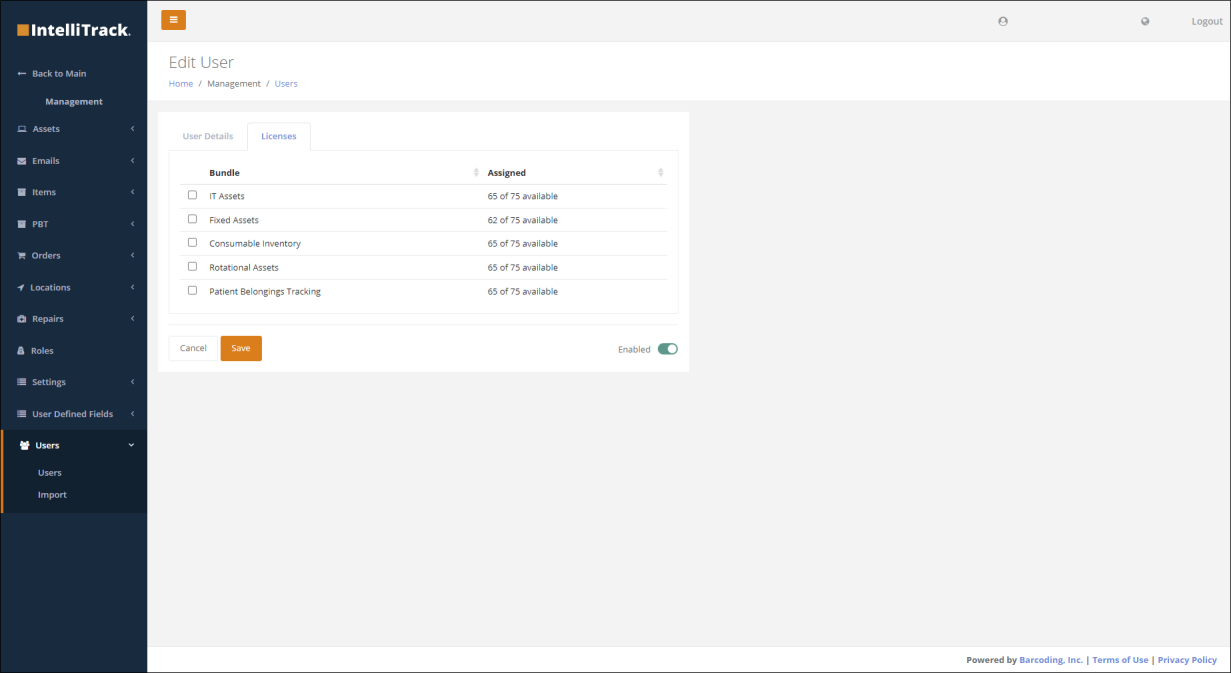
- Now allow a tenant administrator to assign or remove a license from one or more users. This is performed from the Home > Management > Users > Licenses tab. All bundles available to the customer are displayed in the Bundle column and the total and assigned quantities of licenses are displayed in the Assigned column. The tenant administrator can assign a license to the user by checking the appropriate checkbox.
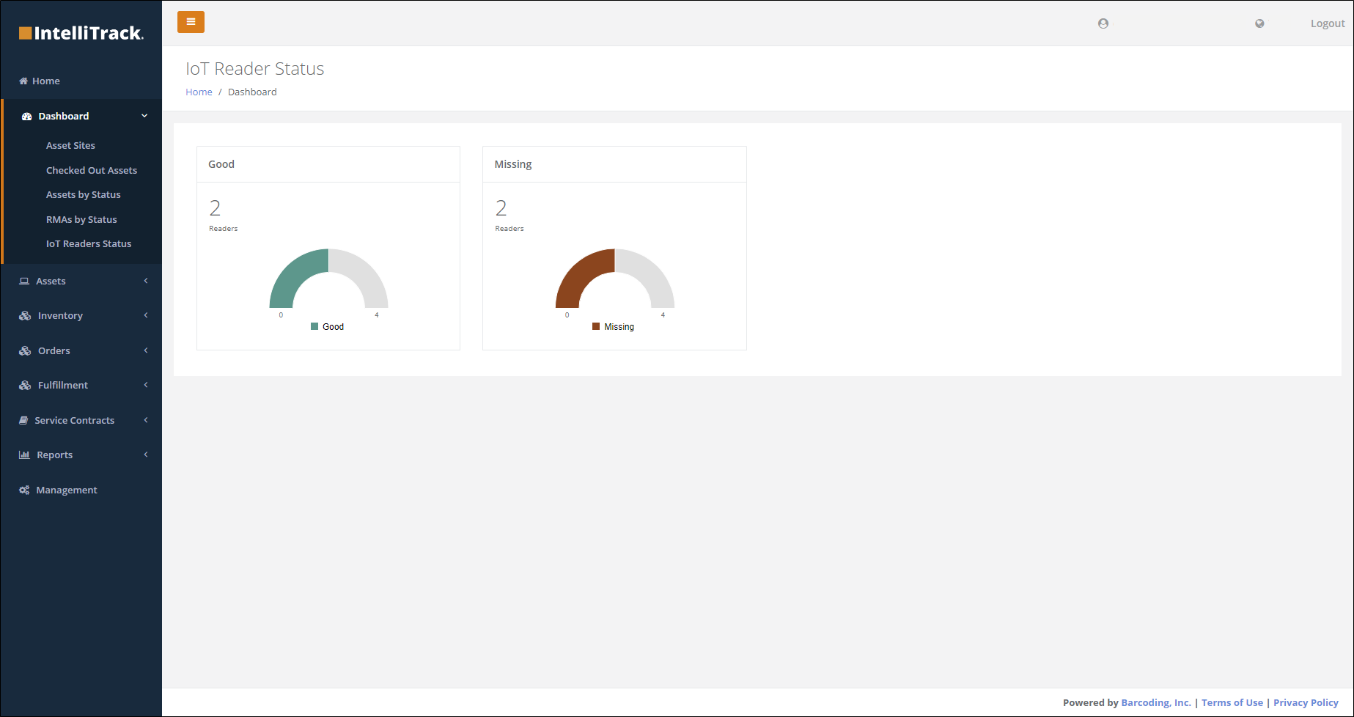
IoT Listening Service (ILS) Integration: ILS (formerly named RLS) has been integrated with IntelliTrack. ILS is Barcoding's middleware software service that filters sensor reads (including RFID tag reads from RFID fixed readers) and provides actionable data to existing computer systems. Within ILS, an administrator can configure ILS to integrate with an IntelliTrack tenant. Within IntelliTrack, a user can create endpoints for reader heartbeats, tag read, current, add and delete events, and view reader status in the Home > Dashboard > IoT Readers Status dashboard.
Miscellaneous Cross Platform Updates
- Moved the Manufacturer field ahead of the Item Number at the Edit Asset page and the View Asset pages so that the field order will align with the field order at the Add Asset page.
- Applied the same sort orders on the mobile device as exists for the web application for Manage Items, View Asset and View Inventory forms.
IT Asset Updates
Enhanced RMA Management Features
- Now display the return tracking number provided by Zebra (on the return shipping label) for customers to return the asset.
Miscellaneous IT Asset Enhancements and Fixes
(Internal Barcoding Administration/Service Contract Management)
- Added devices that have gone through Drop Ship in NetSuite into IntelliTrack.
- Incorporated a "Delete" option under the Actions column on the Fulfillment Item Exceptions page.
- Added a column to the Item Fulfillment Exception screen to denote GoLive or DropShip.
- Fixed issue when Pro-Rating Service Contracts, Existing Contracts are not Displayed and New Contracts are not Saved.
Consumable Inventory Updates
Miscellaneous Consumable Inventory Enhancements
- Now allow users to create subscription at inventory screen to receive periodic reports of basic consumable inventory data.
- Now allow users to import multiple inventory items into IntelliTrack using a spreadsheet that includes attributes such as Item Number, Unit of Measure and Each Count.
Consumable Inventory Orders
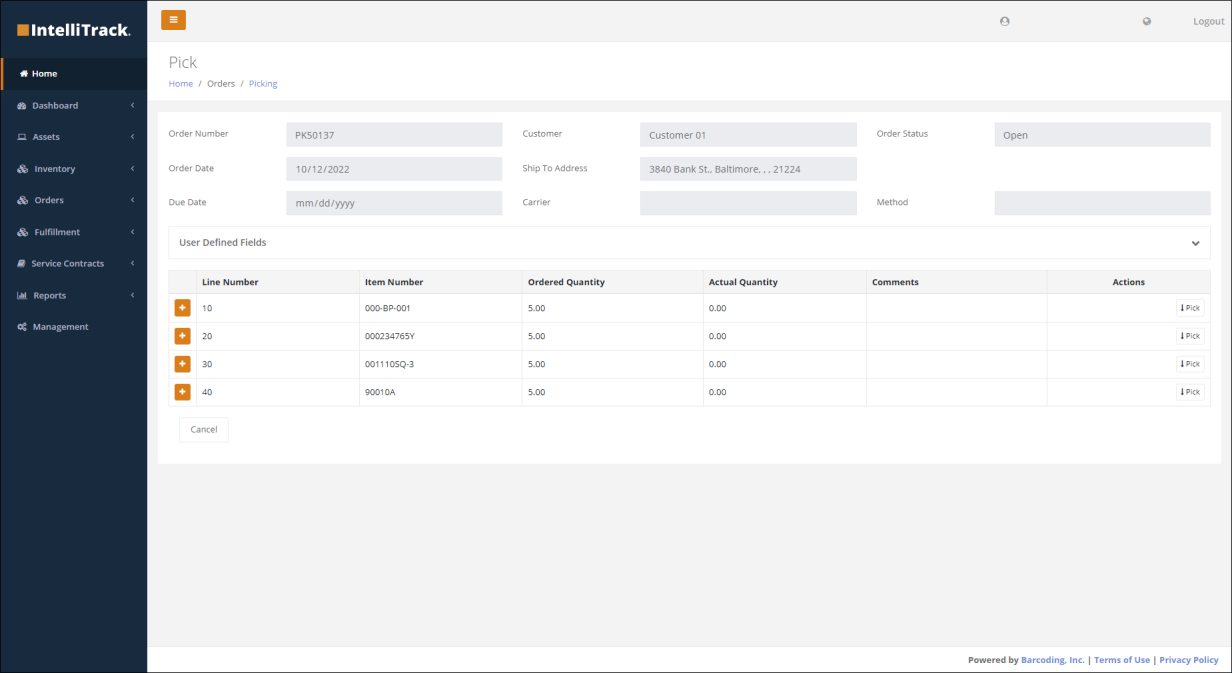
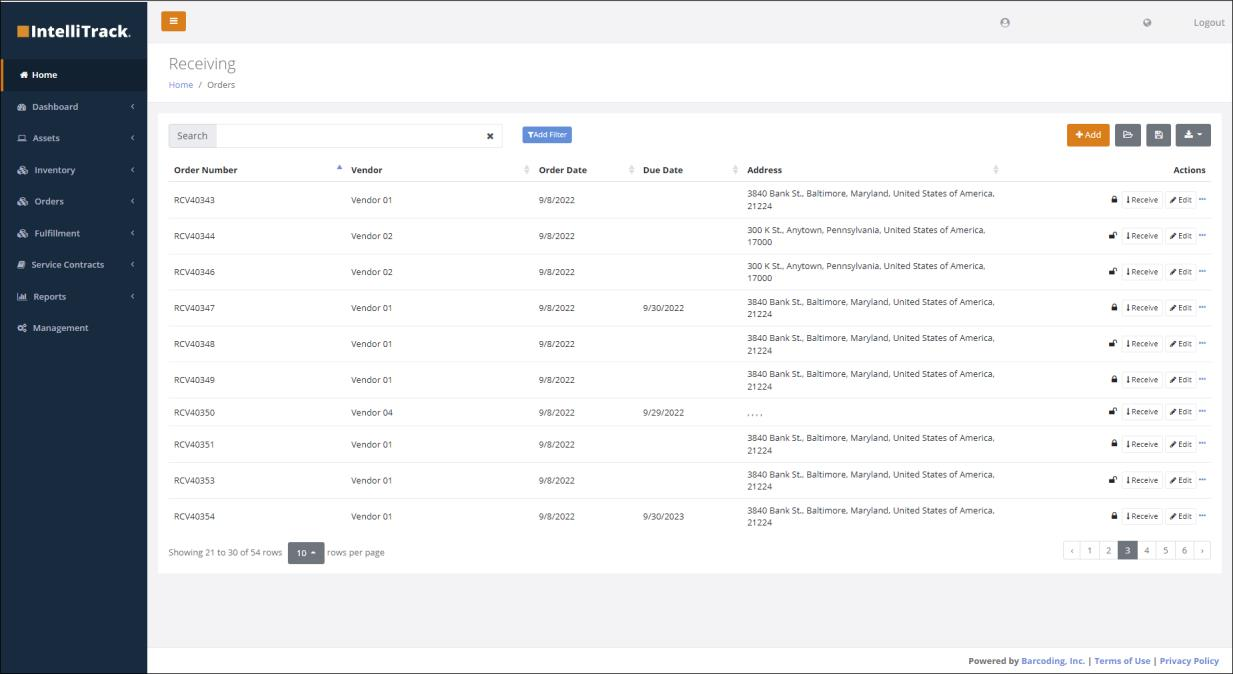
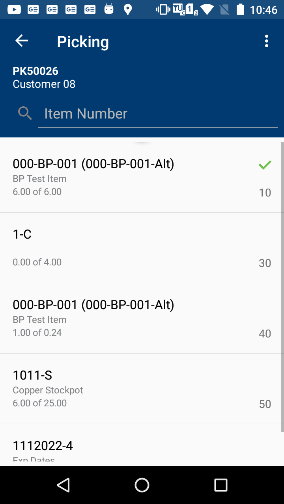
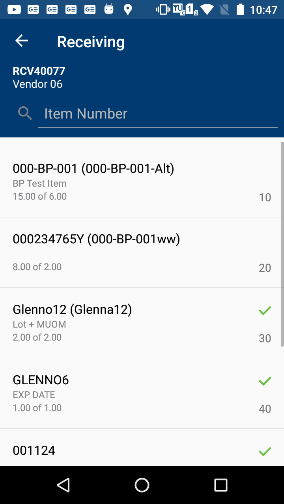
- Users can now create and manage picking and receiving orders. Functionality has been added to the web console to create, search for and update these transactions, and on the mobile device to support picking and receiving functions. These transactions are available from the Home > Orders > Picking and Home > Orders > Receiving tabs, respectively.
- Users can now perform Issue, Receipt and Return orders on the mobile device.
Patient Belongings Tracking (PBT)
- Now allow users to move property for an individual or multiple patients between storage locations. Move operations can be performed on the web console from the Home > Management > PBT > Tags screen and on the mobile application from the Move Tags option on the Hamburger Menu.
- Addressed issue where tags that have been collected but not yet stored were not showing up under "My Tags" on the Store Tags screen.
- Added Azure AD support for the mobile application.