Appearance
IntelliTrack Q2 2022 Release Notes
Released: July 8, 2022
Quarterly release covering two-factor authentication and Azure AD single sign-on, customizable grid columns and filtering, fulfillment tracking, VeriMy™ mobile device management, rotational check-in/check-out enhancements, and the new Patient Belongings Tracking bundle.
General & Multi-Bundle Updates
Two-Factor Authentication
Users can opt for using Two-Factor Authentication with Azure Active Directory (AD) to keep their existing enterprise credentials in use across multiple enterprise platforms and locations. Two-Factor Authentication works with both the IntelliTrack® website and IntelliTrack® mobile applications.
To set Two-Factor Authentication, login to IntelliTrack. Press your login name in the upper left corner of the screen to access your user settings. Press "Change" at the Two-Factor Authentication line to enable the setting.
Single Sign-On
Users can log into IntelliTrack using their Azure AD accounts for Single Sign-On. This needs to be configured for their Tenant and must be approved by the Azure AD Administrators.
Edit Columns
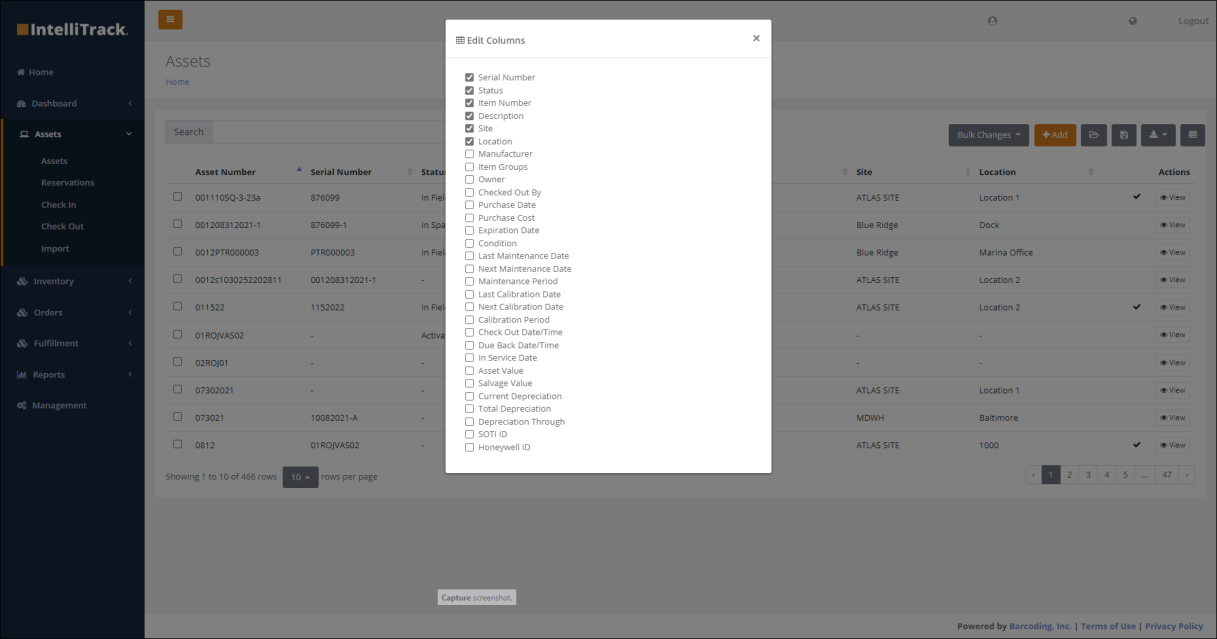
Users can select the columns that they want to see in the asset, item, and assignee screen tables by selecting the Edit Columns icon in the upper right-hand corner of the grid and selecting the columns to view from the dialog. Selections may be saved as a Data View, which may be selected and loaded the next time the user visits this screen.
Enhanced Filtering
Filtering now includes the ability to use additional controls including date ranges and mathematical operators based on the column data type. Personal queries can be saved, retrieved, and run later.
Improved IntelliTrack User Management
- Added the ability to clone a user role.
- A Tenant Admin can view the last date a user logged into a Tenant.
Miscellaneous Cross Platform Enhancements
Other enhancements across multiple bundles include:
- The Assets page now displays an icon when an asset is checked out.
- Improved the consistency of displaying dates in a user-friendly format for the Reservations, Inventory, Issues, Receipts, and Returns screens.
- Allow a Tenant Admin to set Tenant Settings for Asset auto-numbering for Check Out order numbers.
- Fixed an issue with deleting a location within a site.
- Added Item Groups to the View Asset page.
- Added a message when a User Defined Field Group is in use and the delete button is pressed to display "Fieldname is already in use."
- The Assignee ID and the Assignee Name are displayed when setting the asset owner in the Set Ownership and Change Ownership dialogs.
- Renamed the file name for the exported file from the Assets by Sites page to AssetsBySites.csv.
IT Asset Updates
Fulfillment Tracking
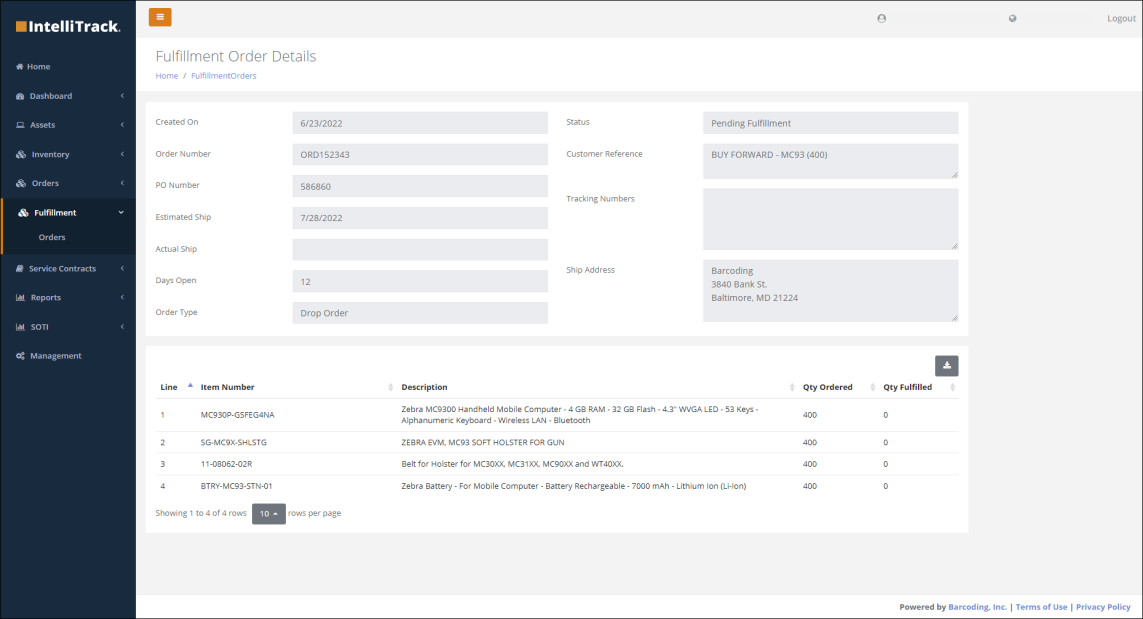
Barcoding services customers can view the order status of devices and other equipment purchased from Barcoding from the Fulfillment option on the Main menu. The Orders option will display information about the order including PO number, estimated and actual ship dates, order status, and shipment tracking numbers. Selecting "Details" from the Actions column allows you to drill into the order and see the fulfillment status of each line item. Both fulfilled and current orders are available to view.
VeriMy™ Mobile Device Management
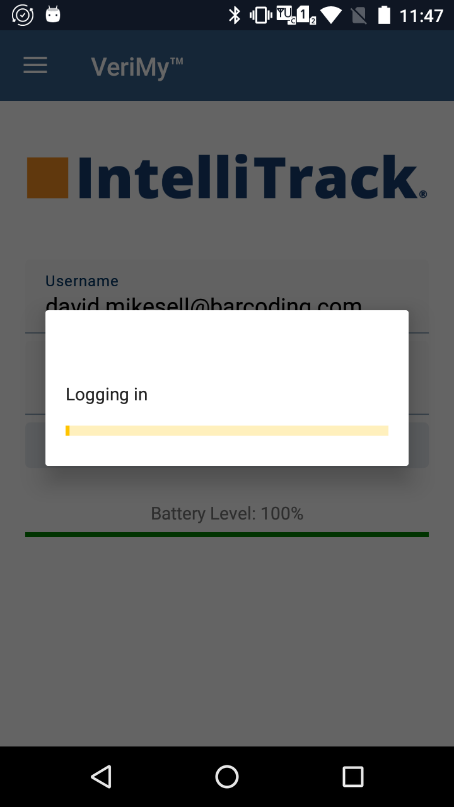
Users now have a new solution for device chain-of-custody tracking. Using elevated Android privileges, VeriMy requires device users to sign into a device with their IntelliTrack credentials at checkout and prevents the use of apps on the device unless, and until, the user's sign-on credentials are verified. A device is checked in when a user logs out of the VeriMy application, if the device is placed into a charging cradle, or if the device has been idle (times out) and a new user logs in.
VeriMy records a user's login/logout information, as well as other important device-level data such as device battery health and drop events.
VeriMy also provides the capability to locate misplaced assets by pinging the missing device. Whether or not they've been checked out, devices can be pinged to make an audible sound, making them much easier to find.
Enhanced SOTI Integration Features
- Device locations are now updated in IntelliTrack to match the location in SOTI MobiControl if there is a variance. This new feature is available to Barcoding StayLive Services™ customers who have chosen Barcoding to manage their EMM (aka Barcoding EMM powered by SOTI).
- Added the following SOTI MobiControl reconciliation related reports:
- Assets Not in SOTI: List of assets in IntelliTrack that are not managed in SOTI MobiControl.
- Assets in SOTI Only: List of assets found in SOTI but not managed in IntelliTrack (i.e., no asset record exists in IntelliTrack).
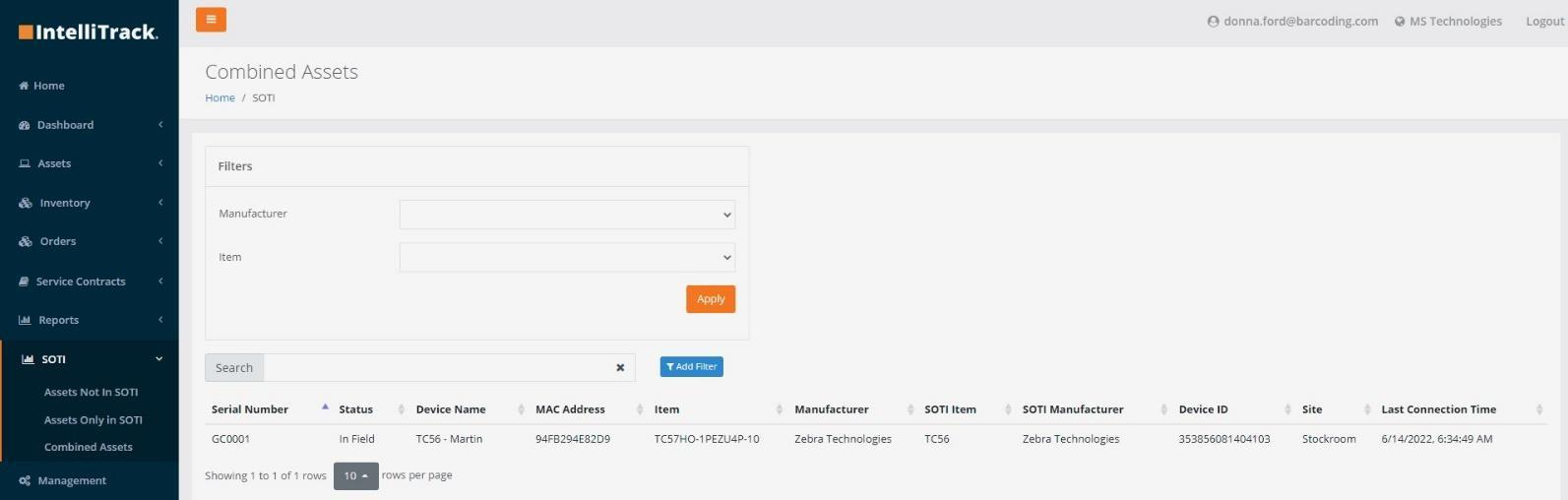
- Combined Assets: Assets that are managed in both SOTI MobiControl and IntelliTrack.
- Allow the SOTI Device ID to be imported as optional fields using the Asset Import spreadsheet.
Enhanced Honeywell Operational Intelligence (OpIntel) Features
- IntelliTrack can now mirror OpIntel sites. For Barcoding customers with Barcoding StayLive Services™ and Honeywell OpIntel, if there is a new or moved asset in IntelliTrack, the site will be updated in OpIntel on a daily basis.
- Allows the Honeywell Device ID to be imported as optional fields using the Asset Import spreadsheet.
- IntelliTrack now supports OpIntel Single Sign-On and users can access OpIntel using their IntelliTrack identity.
Service Contract Management Enhancements (Internal Users)
- Users can now consolidate multiple service contracts into a new service contract.
- Users can apply a filter on the service contract chart on the day range.
Miscellaneous IT Asset Enhancements and Fixes
Other asset tracking enhancements include:
- Allow a user to apply a filter on the RMA Replacements chart on the day range.
- Prevent a user from creating an RMA for a rotational asset that is checked out.
- Fixed a sorting issue on the date column on the RMA Summary Report.
- Display the full postal address when shipping an asset.
- Allow User Defined Fields to be imported as optional fields using the Asset Import spreadsheet.
- Support the printing of shipping labels by Barcoding repair personnel.
- Fixed issue with pin colors updating on the Asset Sites Dashboard when the number of units in repair changes.
- Fixed issue with displaying information for sites.
Rotational Assets
Check In / Check Out Enhancements
- Added the Checked Out Assets Dashboard that shows the number of assets checked out in the current day, and the total number of assets checked out, past due, and available. The dashboard can display counts for all assets in the Tenant or for specific items.
- Added the Checked Out Assets Report. The report displays device and assignee information related to currently checked out, including overdue, assets.
- Added support for the use of a wedge scanner for the Check In and Check Out pages.
- Localized the display time for Check In and Check Out pages.
- Removed the Order Number field from the Check In page.
- When a valid Assignee ID is entered in the Search Assignee field and the Lookup button is pressed, the Assignee Name will be populated.
- Several aspects of the Order Number can now be set at the Tenant level:
- The field can be set as optional.
- You can define if the order number is auto-generated via an Order auto-numbering setting. If selected, a prefix and the starting (i.e., "next") number can be defined.
- Duplicate order numbers can be allowed.
- Fixed sort issue with Site and Location dropdown lists in the Change Location dialog accessible from the Check In Assets page.
- Fixed an issue where a user cannot select another assignee after an assignee is selected in the same check out session.
- A user is now prevented from checking out an asset if the asset status is In Transit or In Repair.
- Allow assets to be checked out without entering an order number when Check Out Order auto-numbering is on.
Asset Reservations
- Added validations to asset Reservation requests to ensure that the return date is later than the start date.
- Addressed issue where multiple reservations could overlap their dates.
Fixed Asset Updates
Miscellaneous Fixed Assets Enhancements and Fixes
- Added "optional" label to fields: Last Maintenance Date, Next Maintenance Date, Maintenance Period, Last Calibration Date, Next Calibration Date, Calibration Period.
- Added a Depreciation tab to the View Assets page.
Consumable Inventory Updates
Miscellaneous Consumable Inventory Enhancements
- Fixed issue where an item found in Inventory could be deleted.
- Track item unit cost during stock item receipt and return via the average cost tracking method. Allow a Tenant Admin to set a unit cost tracking method via the Tenant Settings for inventory. Currently, the average unit cost tracking method is supported.
- Fixed a typo in the Unit Cost Tracking drop down list at Tenant Settings for Inventory page.
Patient Belongings Tracking (PBT)
Barcoding's Patient Belongings Tracking application has been incorporated into the IntelliTrack Platform and is available as a new Bundle. PBT customers can now take advantage of new features such as Single Sign-On with Azure AD, Two-Factor Authentication, and enhanced site and location tracking and management.
PBT features include:
- Use on iOS or Android devices.
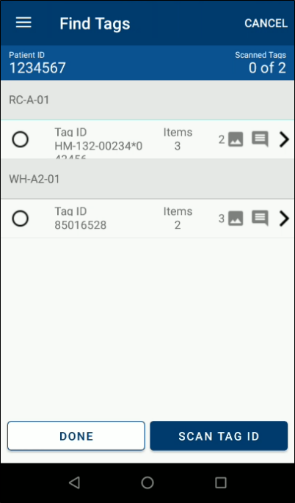
- Scan barcodes when collecting and returning belongings to simplify data entry.
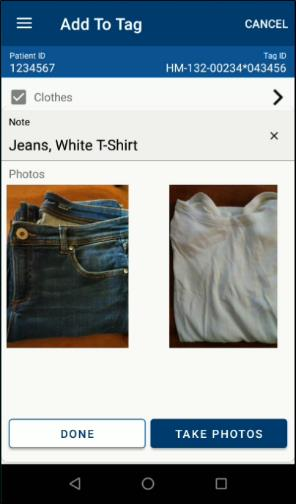
- Photo capture of property and bags.
- Ensure chain of custody and history of property movement in your facility.
- Integrate with your existing workflows, devices, and storage locations.
- Use with existing containers and bags, or use with IntelliTrack's barcoded, sealable options.
- Implement without any on-site installation required.
- Differentiate between valuables and other property.
- Track patient belongings at multiple storage locations.
- Collect or return property at any time during a patient's stay.
- Capture patient signature when collecting or returning belongings.